Skip to content

Radio Voice Effect Walkie-talkie, phone or old radio

Record a line or upload a clip, and the radio voice effect squeezes it into the narrow 300–3,400 Hz band of a phone line, adds a little grit and hiss, and hands back a WAV. Compare it with your original. Free, in your browser.

  • 300–3,400 Hz phone band
  • Light crackle and hiss
  • Your audio stays local
Radio voice effect
Loading the tool…

How it works

How to add a radio effect to your voice

Three steps. Talk the way people talk on radios: short, clear and to the point.

  1. Step 1

    Record or upload your line

    Press Record and speak for up to 60 seconds, or upload an MP3, WAV, M4A or OGG file up to 20 MB and 5 minutes long. A room without much echo works best, because the filter removes rumble but keeps reverb.

  2. Step 2

    Apply the radio effect

    Radio is preselected, so press Apply effect. Your browser filters the clip on your own device in a few seconds. For a distant, echoing transmission instead, try Cave echo on the same take.

  3. Step 3

    Compare, then download

    Flip between Original and Radio while it plays to hear how much of your voice the phone band strips away. Download radio-voice.wav and drop it into your edit.

Scripts to try

Radio chatter to record

Short, clipped transmissions sound the most real. Say over when you hand back the channel.

Walkie-talkie
Base, this is Echo Two. We've reached the ridge. Visibility is low. Over.

Leave half a second of silence first, as if you just keyed the mic.

Mission control
Copy that. You are go for landing. Stand by for final checks.
Phone call scene
Hey, it's me. I can't talk long. Meet me at the station at nine. Don't be late.
Old-time broadcast
Good evening, ladies and gentlemen, and welcome to tonight's program, coming to you live from the Grand Ballroom.
Pilot announcement
Folks, this is your captain speaking. We're expecting a few bumps, so please keep your seatbelts fastened.

Highlights

What turns a voice into a radio voice

Three ingredients: a narrow band, a pushed midrange and a little dirt.

Man on a call at his desk, the sound a telephone voice effect recreates

The phone band, 300 to 3,400 Hz

Two steep filters on each side cut everything below 300 Hz and above 3,400 Hz, the band classic landline phones carry. Lose the chest and the air, and your brain instantly hears a phone or a two-way radio instead of a person in the room.

A honky midrange push

A 4 dB boost around 1.8 kHz gives the forward, nasal tone of a small speaker cone and helps words cut through, the way a dispatcher's voice cuts through a noisy room.

Grit and hiss

Half the signal goes through a soft-clipper for the edge of an overdriven little amp, and a faint hiss, limited to the same band, runs underneath the whole clip like an open channel between transmissions.

Quick reference

Telephone voice effect vs walkie-talkie and old radio

Each device has its own bandwidth. Here's how close this filter gets to each one.

SoundTypical bandwidthHow close this getsDelivery tip
Landline phone≈ 300–3,400 HzExact matchNatural, close to the mic
Walkie-talkie≈ 300–3,000 HzVery closeLouder, clipped, end with over
Old AM radio setUp to ≈ 5,000 HzA little thinnerBrisk, formal announcer style
Modern HD voice call≈ 50–7,000 HzMuch lower qualityUse it for a retro feel

Bandwidths are typical figures and real devices vary. The filter is fixed at 300–3,400 Hz, so it sounds most like a classic landline or a two-way radio.

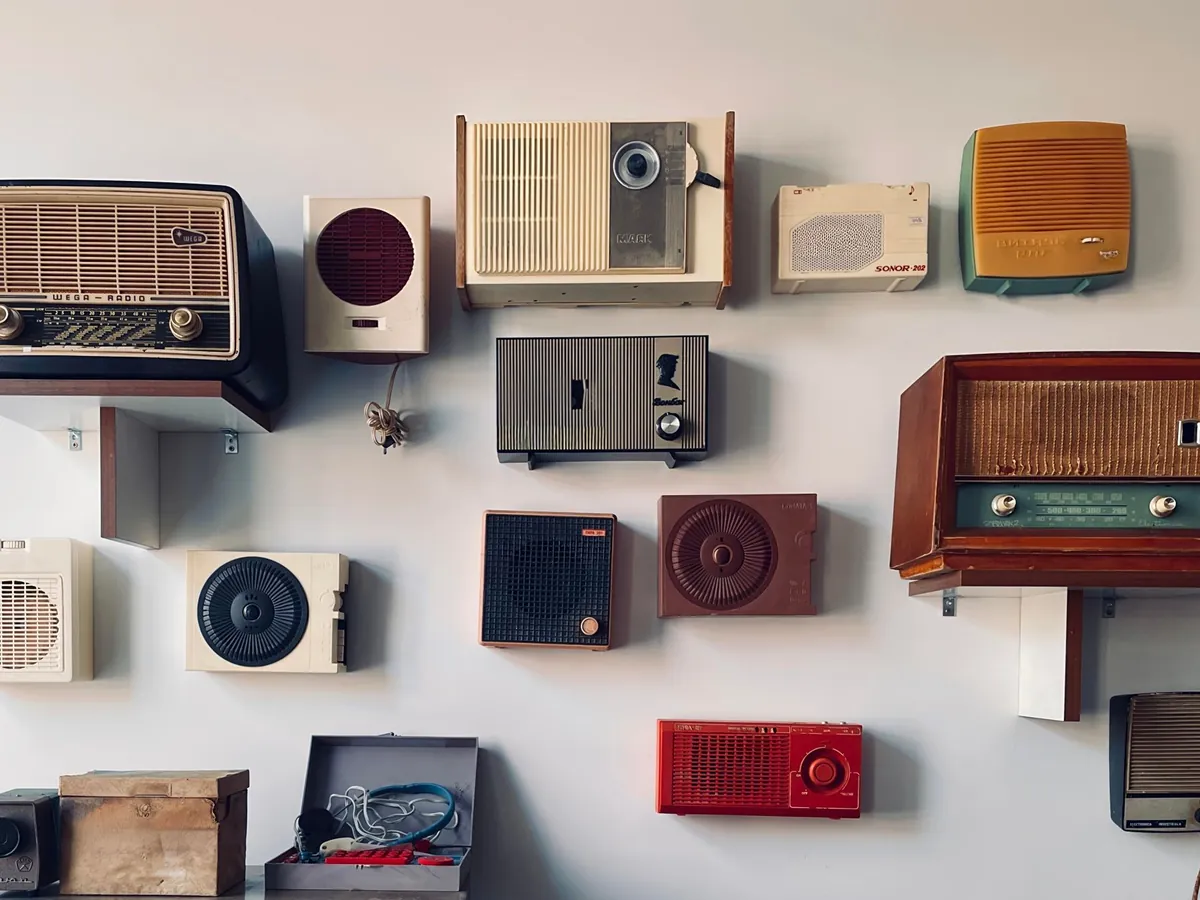
Wall display of vintage radios and speakers in pastel colors

Why a radio voice changer sounds like a radio

Telephone networks settled on the 300 to 3,400 Hz band because it carries what you need to understand speech and leaves out the rest. That narrow band became the sound of a voice coming through a device, and it is still what your ear expects from phones, intercoms and two-way radios.

Here is the odd part: an adult man speaks at about 85 to 155 Hz, well below the band, so his fundamental pitch is removed completely. You still hear his pitch, because your brain rebuilds the missing fundamental from the spacing of the harmonics that remain. What disappears is the body and warmth, and that loss is exactly what makes the sound read as radio.

The slope matters too. A gentle tone control just sounds dull, while two stacked filters on each side fall off steeply, like a real band-limited channel. The midrange push and light distortion add the character of small speakers and cheap amplifiers, and the hiss fills the silences the way an open channel does.

Tips for an old radio voice that sounds real

Match the device. On a walkie-talkie, people talk a little louder and faster, pause before speaking as if pressing the button, and end with over. For a 1940s broadcast, go brisk and formal with crisp consonants and a smile in your voice. For a phone call, stay natural and close to the mic.

Record dry. Rumble below 300 Hz is removed anyway, but room echo sits right inside the band and survives, so record somewhere soft, about 6 inches (15 cm) from the mic. Skip background music; it turns into a tinny mess.

Finish in your editor. The effect adds no beeps or squelch bursts, so add a short burst of static at the start and end of each transmission if you want one. For a vintage radio show, lay the WAV over period-style music and duck the music under the voice.

Need a script read for you? The announcer voice generator creates sports, radio and game-show voices from text with AI; it needs a free account and uses credits. The radio effect is the free way to make your own recording sound transmitted. Please don't use it to imitate emergency services or officials, since a convincing fake call can cause real harm.

Last updated October 21, 2026

Use cases

Where the radio effect shows up

Any scene where a voice has to come through a device instead of a room.

Film and video scenes

Phone calls, pilots, mission control and the voice on the other end of a walkie-talkie.

Podcasts and audio dramas

Call-in segments, flashback broadcasts and transmissions in fiction podcasts.

Games and mods

Squad radio chatter, mission briefings and NPC transmissions, recorded in minutes.

Escape rooms and events

Clues delivered over a crackling radio, or announcements for themed events.

FAQ

Radio voice effect FAQ

Short answers about walkie-talkie, phone and old radio sounds.

Still have a question?

The quickest way to find out is to try it yourself. It only takes a minute.

Record or upload your line, keep Radio selected and press Apply effect. The walkie-talkie sound comes from the 300–3,400 Hz band plus a little distortion and hiss. Talk short and clipped and end with over. Add a static click in your editor if you want the button sound.

Put your voice on the radio

Record a line, apply the radio effect and download it in about a minute. Free, no sign-up, nothing uploaded.